devlog study react javascript web
React Foundations
- Next.js - React Foundation course
- prerequisite knowledge for Next.js
- 삽입한 사진들의 출처 : Nextjs.org/learn
1. React & Next.js
React
- a JavaScript library for building interactive user interfaces.
- UI: the elements that users see and interact with on-screen
- 개발자가 필요에 맞게 기능을 개발하도록 맡김
- 편리하기도 하지만, 하나하나 기능 구현해야하는 수고가 필요
Next.js
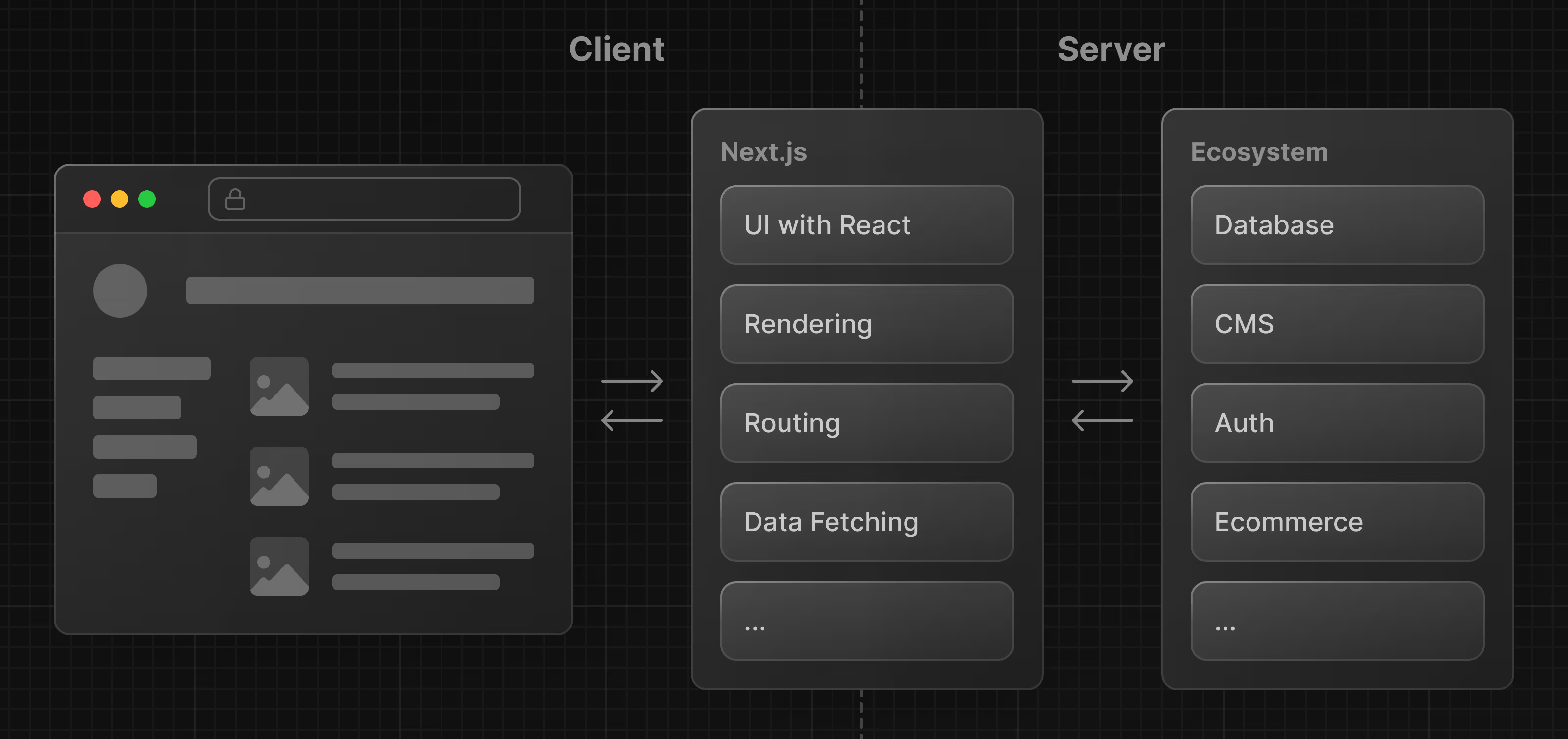
- a React framework that gives you building blocks to create web applications
2. DOM : Document Object Model
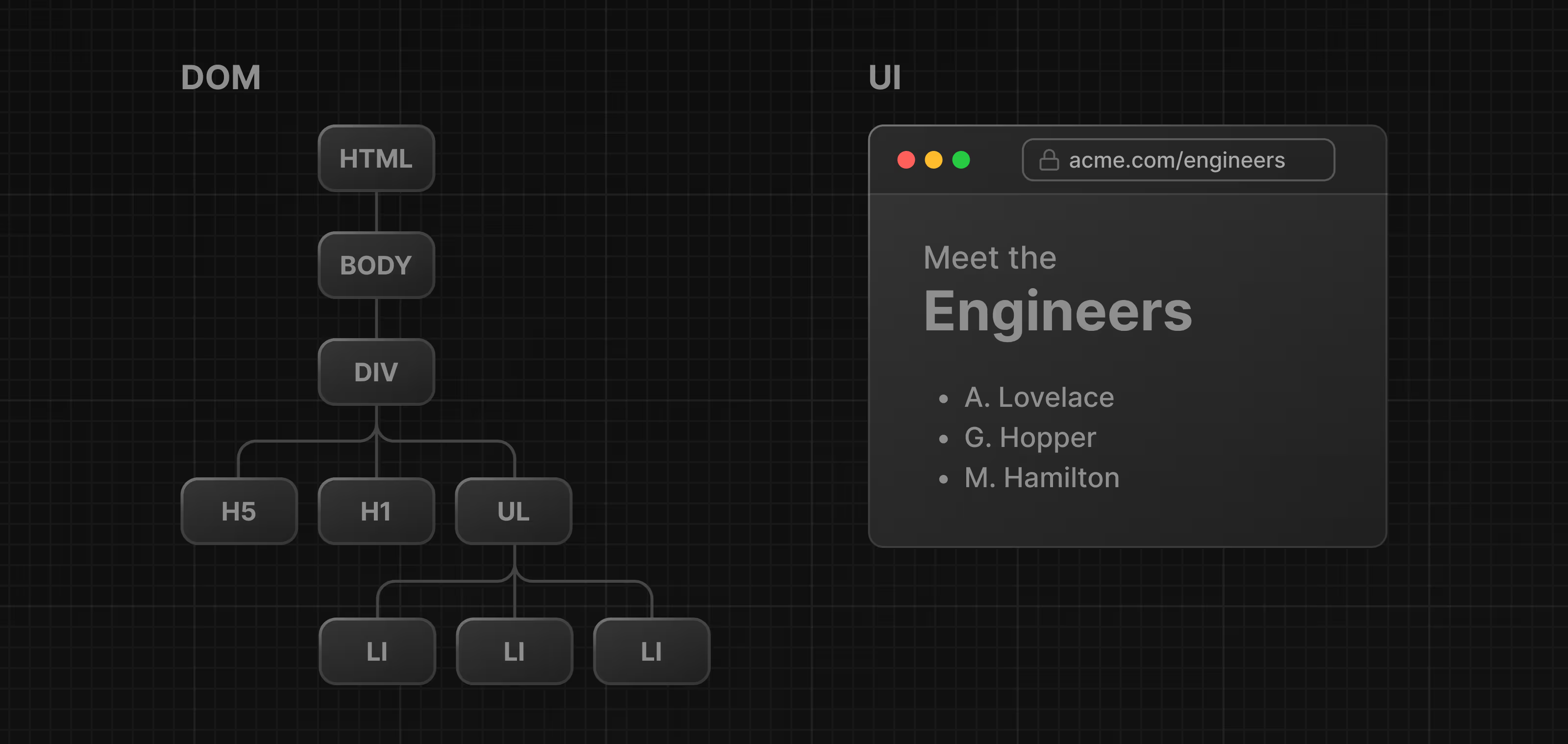
- a programming interface for web documnets
- an object representation of the HTML elements.
- a bridge : code - user interface
- a tree-like structure
3-4. Update UI with JavaScript & React
Imperative(명령형) vs Declarative(선언형) programming
- Imperative : how
- 세부 디테일을 직접 드러내어 코드를 작성
- 순서대로 구조화
- Declarative : what
- 무엇을 할건지에 초점을 두고 방식(세부 구현)은 추상화로 구현 ⇒ React는 declarative UI library!
Imperative programming
<html>
  <body>
    <div id="app"></div>
    <script type="text/javascript">
      const app = document.getElementById('app');
    </script>
  </body>
</html>- imperative 방식
script태그를 추가하면 해당 태그 안에서 DOM method를 사용할수 있음
Declarative programming - with React
<html>
  <body>
    <div id="app"></div>
    <script src="https://unpkg.com/react@18/umd/react.development.js"></script>
    <script src="https://unpkg.com/react-dom@18/umd/react-dom.development.js"></script>
    <script>
      const app = document.getElementById('app');
      const root = ReactDOM.createRoot(app);
      root.render(<h1>Develop. Preview. Ship.</h1>);
    </script>
  </body>
</html>- 이 상태로는 syntax error가 발생 → <h1> 태그를 바로 사용하는 문법은 Javascript가 아니라 JSX
- JSX : HTML친화적으로 코드를 작성할수 있도록 해주는 syntax extension
- 이 코드를 자바스크립트로 변환하는 컴파일러가 필요 ⇒ Babel
- JSX : HTML친화적으로 코드를 작성할수 있도록 해주는 syntax extension
Declarative programming - with React + Babel
<html>
  <body>
    <div id="app"></div>
    <script src="https://unpkg.com/react@18/umd/react.development.js"></script>
    <script src="https://unpkg.com/react-dom@18/umd/react-dom.development.js"></script>
    <!-- Babel Script -->
    <script src="https://unpkg.com/@babel/standalone/babel.min.js"></script>
    <script type="text/jsx">
      const domNode = document.getElementById('app');
      const root = ReactDOM.createRoot(domNode);
      root.render(<h1>Develop. Preview. Ship.</h1>);
    </script>
  </body>
</html>- 6줄 코드로 h1 텍스트를 추가하던 걸 3줄 코드로 가능하게 됨
5-6. Components & Props
reusable snippets of code
function Header() {
  return <h1>Develop. Preview. Ship.</h1>;
}

function HomePage() {
  return (
    <div>
      <Header />
    </div>
  );
}

const root = ReactDOM.createRoot(app);
root.render(<HomePage />);-
component 안에 다른 component를 포함할수 있음
- component 이름은 Pascal case방식으로 작성,
<>를 사용
- component 이름은 Pascal case방식으로 작성,
-
props를 전달하는 경우
- passing information to components
function Header({ title }) {
  console.log(title); // "React"
  return <h1>{title}</h1>;
}- 3항연산자(ternary operators) 로도 전달 가능
function Header({ title }) {
  return <h1>{title ? title : 'Default Title'}</h1>;
}
7. State & Hooks
- React의 여러 hook으로 상태 관리를 할수 있음
- e.g.
useState
10. Server / Client Components
-
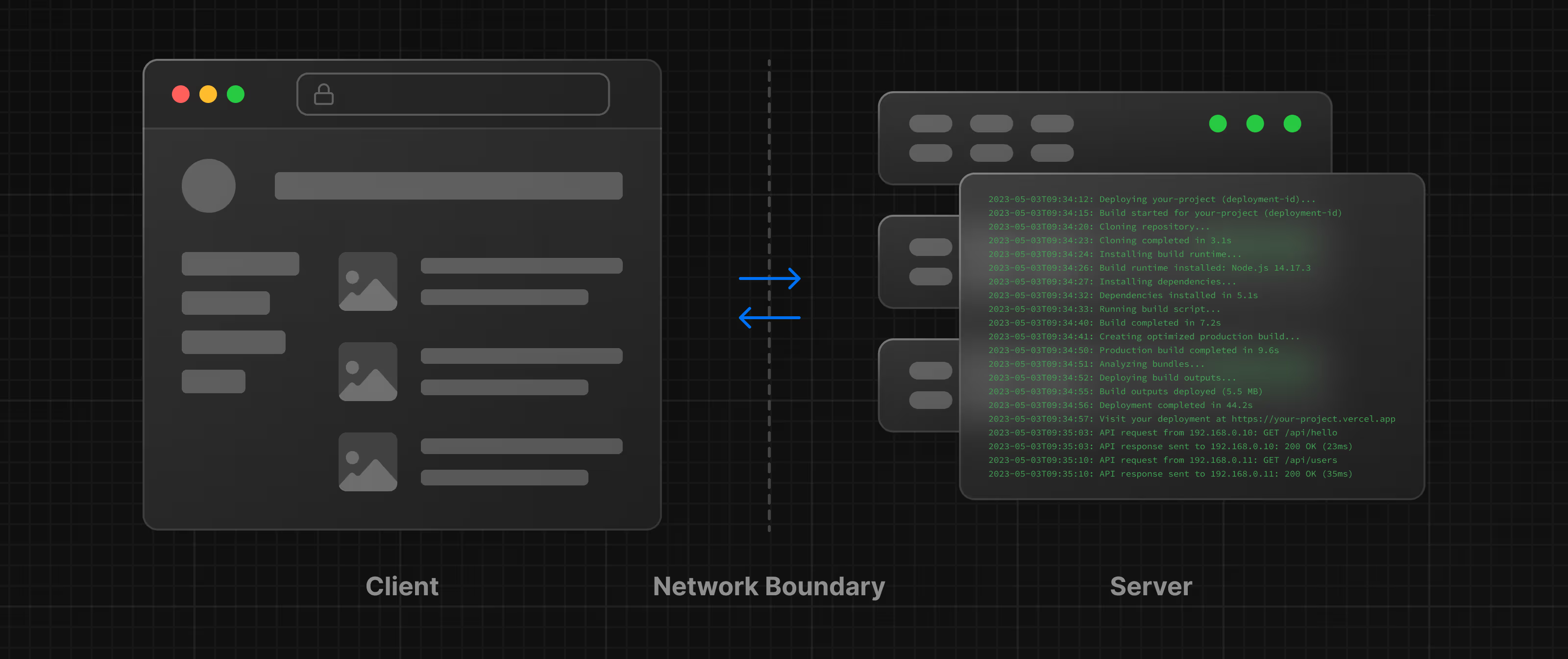
client : 유저측 브라우저
- 서버에 요청을 보내고, 응답을 받아서 유저가 상호작용할수 있도록 interface에 표시
-
server : data를 저장하고 있는 컴퓨터
- 클라이언트측 요청을 받고, 계산을 하거나 적절한 응답을 보냄
-
Next.js는 기본적으로 모두 RSC(React Server Component)!
- hook은 (
use-로 시작) 모두 client component에서만 사용가능 - client component는 작은 부분으로 잘 분리해야함!
- hook은 (